
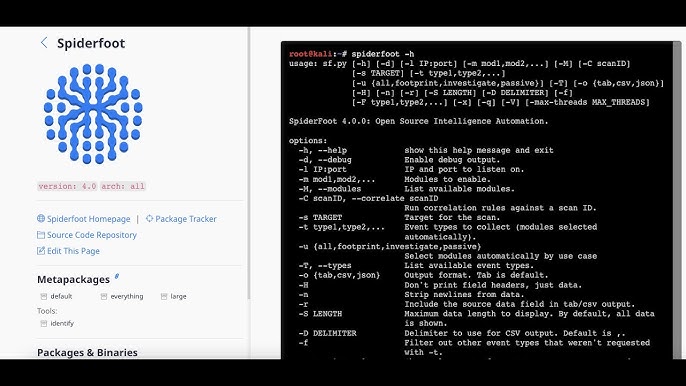
Quick answer: SpiderFoot can analyze 11 types of targets: domain names, hostnames/subdomains, IPv4 addresses, IPv6 addresses, subnets (CIDR), ASNs, email addresses, phone numbers, usernames, human names and Bitcoin addresses. It detects the type automatically from what you type, so the format matters: phone numbers need a country code (for example +14155550100), and names and usernames must be wrapped in double quotes.
Choosing the right target is the first step to a useful SpiderFoot scan. Each target type activates different modules and produces different results. This guide explains every target type, the exact input format, what SpiderFoot finds for each one, and which scan use case to pair it with.
All SpiderFoot Target Types at a Glance
| Target type | Example input | What SpiderFoot finds |
|---|---|---|
| Domain name | example.com | Subdomains, DNS records, emails, hosting, certificates, technologies, reputation |
| Hostname / subdomain | mail.example.com | IPs, open ports, services, web technologies, blacklist status |
| IPv4 address | 203.0.113.10 | Reverse DNS, geolocation, ASN, open ports, abuse and malware reports |
| IPv6 address | 2001:db8::1 | Similar to IPv4 where sources support IPv6 |
| Subnet (CIDR) | 203.0.113.0/24 | Live hosts, hostnames, services and reputation across the range |
| ASN | 64496 | Netblocks owned by the network and their hosts |
| Email address | jane@example.com | Breaches, linked accounts, domain info, related names |
| Phone number | +14155550100 | Carrier, region, mentions on the web |
| Username | "janedoe99" | Accounts on hundreds of websites and social platforms |
| Human name | "Jane Doe" | Public mentions, possible accounts and associated data |
| Bitcoin address | bc1q... | Balance, transactions, abuse and scam reports |
Examples use reserved documentation addresses. Always scan only targets you own or are authorised to investigate.
1. Domain Names
Domains are the most common SpiderFoot target and produce the richest results. SpiderFoot will typically find:
- Subdomains from DNS, certificate transparency logs and search engines
- DNS records (A, AAAA, MX, NS, TXT, SPF, DMARC)
- WHOIS and registrar details, domain age and similar look-alike domains
- Email addresses and employee names linked to the domain
- Web technologies, hosting providers and cloud storage buckets
- Blacklist and malware reputation
Best use case: Footprint for attack-surface mapping; Passive for quiet research.
2. Hostnames and Subdomains
Scanning a single host (for example vpn.example.com) focuses the scan on one system: its IPs, open ports, banners, TLS certificates and web technologies. It is handy when a Footprint scan reveals an interesting subdomain you want to dig into.
3. IP Addresses (IPv4 and IPv6)
An IP scan answers “who owns this and is it dangerous?”. Expect reverse DNS, geolocation, the owning ASN and netblock, other domains hosted on the same IP, open ports (via sources like Shodan), and reports from abuse and threat-intel databases.
Best use case: Investigate, especially for suspicious IPs from logs or alerts.
4. Subnets (CIDR Ranges)
Enter a range like 203.0.113.0/24 to analyze every address in it. This is useful for organisations checking their own IP space. Large ranges create large scans, so limit modules or use Passive first.
5. ASNs (Autonomous System Numbers)
An ASN identifies a network operator. Enter just the number (for example 64496). SpiderFoot maps the netblocks announced by that network and can expand to hosts within them. This is an advanced target, mainly for infrastructure research.
6. Email Addresses
Email scans are great for privacy audits and phishing investigations. SpiderFoot checks breach databases (Have I Been Pwned needs an API key), looks for accounts and mentions linked to the address, and analyses the email’s domain.
Tip: Scan your own email to see what attackers could learn about you, then change any reused passwords.
7. Phone Numbers
Use the international format with a plus sign and country code: +442071234567. SpiderFoot identifies the carrier and region and searches for public mentions. Results depend heavily on the country and available sources.
8. Usernames
Wrap usernames in double quotes: "janedoe99". SpiderFoot checks hundreds of websites for accounts with that name. It is one of the fastest ways to find a person’s online presence, and to find forgotten accounts of your own.
9. Human Names
Also wrap names in double quotes: "Jane Doe". Common names produce many unrelated results, so combine a name with other data (email, username, employer domain) for better accuracy.
10. Bitcoin Addresses
SpiderFoot can check a Bitcoin address for balance, transaction history and appearances in scam or abuse reports. This is useful for fraud and ransomware investigations.
Which Use Case Fits Each Target?
| Goal | Target | Use case |
|---|---|---|
| Map a company’s attack surface | Domain | Footprint |
| Check a suspicious IP or domain | IP / domain | Investigate |
| Audit your own online exposure | Email / username | Passive |
| Review your organisation’s IP space | Subnet / ASN | Footprint |
| Trace a scam payment | Bitcoin address | Investigate |
New to use cases? Our SpiderFoot beginner tutorial explains Passive, Footprint, Investigate and All with examples.
How to Enter Targets Correctly
- Do not add http:// or https:// to domains. Use
example.com, not a full URL. - Quote names and usernames:
"Jane Doe","janedoe99". - Use E.164 phone format: a plus sign, country code and number, no spaces.
- Use CIDR for ranges:
198.51.100.0/24. - In the CLI, pass the same value to
-s, for examplepython3 sf.py -s "janedoe99" -u passive. See our SpiderFoot commands guide.
Get Better Results for Any Target
- Add API keys for the sources that matter to your target type. See SpiderFoot modules and data sources.
- Use By Required Data to collect only what you need (for example, just email addresses).
- Check the Correlations tab first to see high-risk findings.
- Verify important findings manually before acting on them.
Legal and Ethical Limits
Infrastructure targets (domains, IPs, subnets) should be your own or in an authorised scope. Personal targets (emails, names, phone numbers, usernames) involve personal data, so you need a legitimate, lawful reason and should follow privacy laws like GDPR. Learn how to protect what you collect in how secure SpiderFoot scan data is, and see how targets differ for offensive and defensive security work.
Frequently Asked Questions
What targets can SpiderFoot scan?
SpiderFoot can scan domain names, hostnames, IPv4 and IPv6 addresses, subnets, ASNs, email addresses, phone numbers, usernames, human names and Bitcoin addresses.
How do I scan a username in SpiderFoot?
Enter the username in double quotes, for example “janedoe99”. Without quotes, SpiderFoot may not recognise it as a username.
What phone number format does SpiderFoot use?
Use international E.164 format: a plus sign, the country code and the number without spaces, for example +14155550100.
Can SpiderFoot scan a whole IP range?
Yes. Enter a subnet in CIDR notation, such as 198.51.100.0/24, or an ASN number to analyse a network operator’s netblocks.
Should I include https:// when scanning a domain?
No. Enter only the domain name, such as example.com. SpiderFoot expects a domain, not a full URL.
Which SpiderFoot target gives the most results?
Domain names usually return the most data because many modules work with DNS, certificates, web content, emails and hosting information.
Conclusion
SpiderFoot supports 11 target types, from domains and IPs to emails, usernames, phone numbers and Bitcoin addresses. Enter each in the right format, pair it with the right use case, and add API keys for the sources that matter. Ready to try? Install SpiderFoot and start with a Passive scan on your own domain or email.
Pingback: SpiderFoot OSINT Tool (2026): Features, Pros, Cons & Alternatives
Pingback: What Is SpiderFoot? How It Automates OSINT (2026 Guide)