
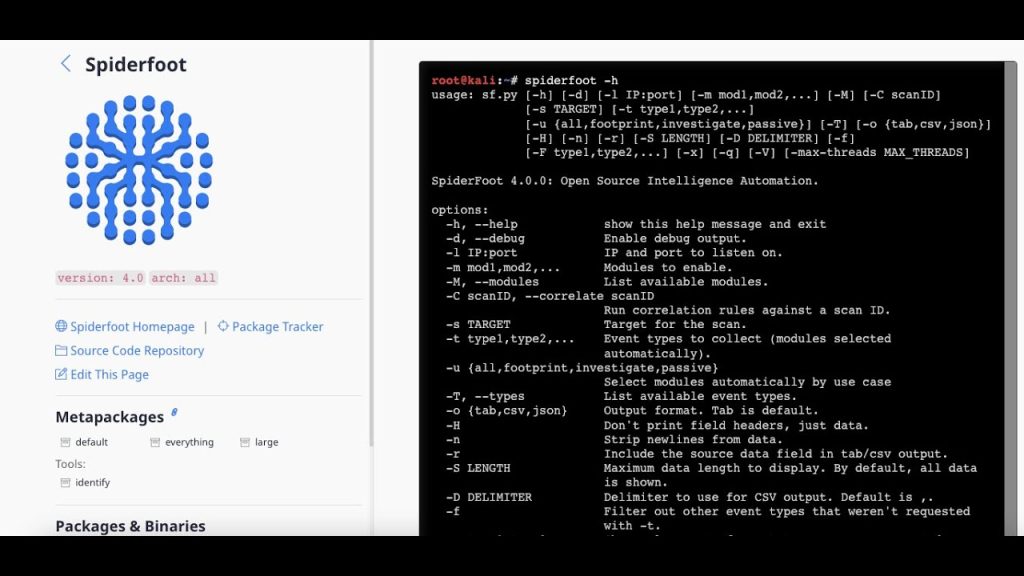
Quick answer: Yes. SpiderFoot is used for both offensive and defensive security. Red teams and penetration testers use it for reconnaissance: finding subdomains, exposed services, employee emails and leaked credentials in an authorised scope. Blue teams and SOC analysts use the same data to monitor their own attack surface, investigate suspicious IPs and domains, and find leaks before attackers do. The tool is the same; the goal and the permission are what differ.
OSINT is dual-use by nature: whatever an attacker can learn about you, you can learn about yourself first. SpiderFoot makes that idea practical. This guide shows how each side uses it, with concrete workflows, the best modules and use cases, and the ethical rules that keep your work legal.
Offensive vs Defensive Use at a Glance
| Aspect | Offensive (red team / pentest) | Defensive (blue team / SOC) |
|---|---|---|
| Main goal | Find entry points an attacker could use | Find and fix exposures; investigate threats |
| Typical targets | In-scope client domains, IP ranges, staff emails | Own domains, IP space, brand, suspicious indicators |
| Best use cases | Footprint, Passive | Investigate, Footprint, scheduled Passive |
| Key outputs | Subdomains, open services, emails, leaked credentials | Blacklist hits, malware links, new assets, breaches |
| Permission needed | Written authorisation and scope | Ownership or internal mandate |
| Result | Pentest report with risks | Remediation, blocking, monitoring alerts |
Offensive Security: How Red Teams Use SpiderFoot
Reconnaissance is the first phase of every penetration test and red-team engagement. SpiderFoot automates most of it.
1. Attack-surface discovery
A Footprint scan on the client’s domain reveals subdomains (from DNS, certificate logs and search engines), IP ranges, hosting and cloud providers, and forgotten assets like old staging sites.
2. Service and technology mapping
With keys for sources like Shodan, SpiderFoot reports open ports, banners and web technologies, helping testers prioritise targets for later authorised active testing.
3. People and social-engineering surface
Email addresses, name formats and public profiles help assess phishing risk. In a real engagement, these are used only within the agreed scope, such as an approved phishing simulation.
4. Credential exposure
Breach modules show which staff emails appear in known leaks, a strong indicator of password-reuse risk that belongs in the report.
Red-team workflow example
- Confirm written scope and rules of engagement.
- Run a Passive scan, then Footprint on in-scope domains.
- Export subdomains and IPs:
python3 sf.py -s client.example -t INTERNET_NAME,IP_ADDRESS -f -o csv -q > assets.csv - Feed in-scope assets into your port scanner and web testing tools.
- Document every finding with its source module for the report.
See where this fits in a full engagement in our penetration testing methodology guide, and speed it up with the SpiderFoot commands cheat sheet.
Defensive Security: How Blue Teams Use SpiderFoot
1. External attack-surface management
Scan your own domains regularly to catch new subdomains, unexpected open services, expired certificates and shadow IT before attackers do.
2. Threat investigation and triage
When an alert shows a suspicious IP or domain, the Investigate use case checks it against blacklists, malware databases and threat-intel sources, and shows related infrastructure.
3. Leak and breach monitoring
Scan company email domains to find staff accounts in breach data, then force password resets and enforce MFA.
4. Brand and phishing protection
Look-alike domain modules help spot typosquatting and impersonation sites used in phishing campaigns.
5. Third-party risk
With appropriate agreements, passive scans of suppliers’ public footprint can reveal obvious security weaknesses.
Blue-team workflow example
- List all company domains and IP ranges.
- Schedule a weekly Passive/Footprint scan from the CLI (see our SpiderFoot automation guide).
- Compare results with last week to find new assets or exposures.
- Review Correlations for high-risk items and open tickets.
- Use Investigate for suspicious indicators from alerts.
Best Modules and Data Types for Each Side
| Need | Useful data types | Helpful sources (API keys) |
|---|---|---|
| Subdomain and asset discovery | INTERNET_NAME, IP_ADDRESS, NETBLOCK_OWNER | Certificate transparency, SecurityTrails, DNS modules |
| Exposed services | TCP_PORT_OPEN, WEBSERVER_BANNER | Shodan, Censys |
| People and emails | EMAILADDR, HUMAN_NAME | Hunter.io, search engines |
| Breach exposure | EMAILADDR_COMPROMISED | Have I Been Pwned and similar |
| Threat reputation | MALICIOUS_IPADDR, BLACKLISTED_IPADDR | VirusTotal, AbuseIPDB, AlienVault OTX |
Full list: SpiderFoot modules and data sources. Supported inputs: SpiderFoot target types.
Purple Teaming: Using Both Perspectives
The most effective teams share SpiderFoot results. The red team’s recon report becomes the blue team’s to-do list, and the blue team’s monitoring shows whether fixes worked. Running the same scan before and after remediation is a simple, measurable way to show progress.
Ethics and Legal Boundaries
- Offensive use requires written authorisation and a defined scope. Without it, even “passive” recon against an organisation can create legal risk and is unethical.
- Defensive use should stay within your own assets or agreed third-party scope.
- Personal data (emails, names, phone numbers) must be handled under privacy law and deleted when no longer needed.
- Protect the results: a SpiderFoot database is an attack map. See how to secure SpiderFoot data.
Getting Started
Install SpiderFoot with our install guide or on Kali Linux, then choose the right interface using our web UI vs CLI comparison.
Frequently Asked Questions
Is SpiderFoot an offensive or defensive tool?
Both. It is an OSINT reconnaissance tool used by penetration testers for attack-surface discovery and by blue teams for exposure monitoring, threat investigation and leak detection.
Do penetration testers use SpiderFoot?
Yes. It is commonly used in the reconnaissance phase of authorised penetration tests to find subdomains, IPs, services, emails and leaked credentials.
How can a SOC use SpiderFoot?
SOC teams use the Investigate use case to check suspicious IPs and domains, and scheduled scans of company domains to detect new assets, blacklist hits and breached accounts.
Does SpiderFoot perform attacks or exploits?
No. SpiderFoot collects and correlates information. It does not exploit vulnerabilities, although some modules in non-passive modes may contact the target directly.
Is it legal to use SpiderFoot for red teaming?
Yes, when you have written authorisation and a defined scope from the organisation. Without permission, reconnaissance against others can create legal risk.
Which SpiderFoot use case is best for defensive monitoring?
Passive or Footprint for regular attack-surface checks, and Investigate for triaging suspicious indicators.
Conclusion
SpiderFoot is a true dual-use security tool. Offensive teams use it to map an authorised target’s attack surface quickly; defensive teams use the same capabilities to monitor their own exposure, investigate threats and catch leaks early. Whichever side you are on, work within clear permission, protect your results, and use Correlations to focus on what matters.